
MytView is a clean, fast player for the video library on your own server. Run the server at home, point the apps at it, and watch on iPhone, iPad, Apple TV, Android, Google TV and Samsung TV: organized, resumable, and completely private.
Free, open-source server in one Docker container. Native apps for every screen above connect to it, and the built-in web player needs no install at all.A focused player that respects your library and your privacy. No feeds to game, no upsells, no telemetry.
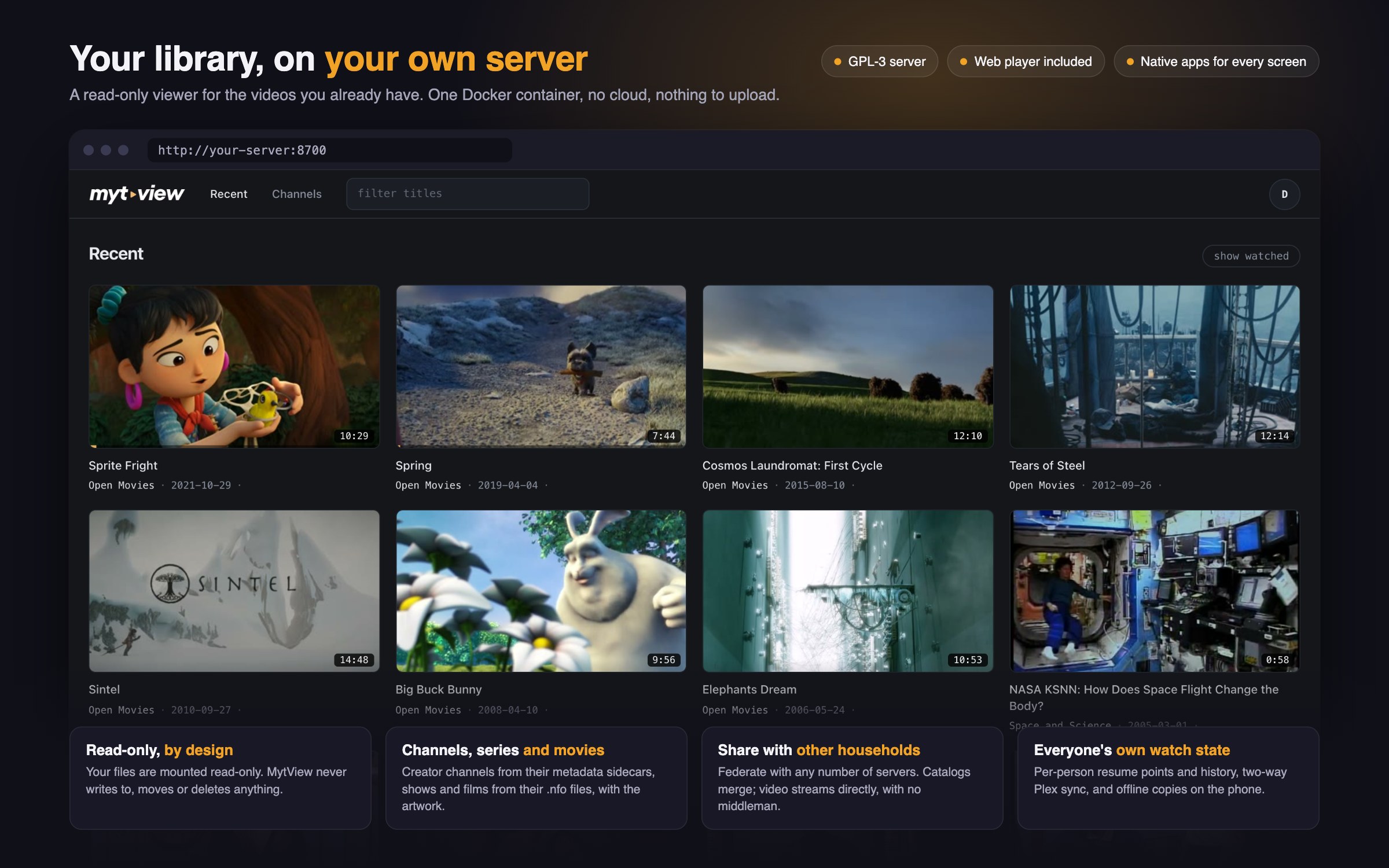
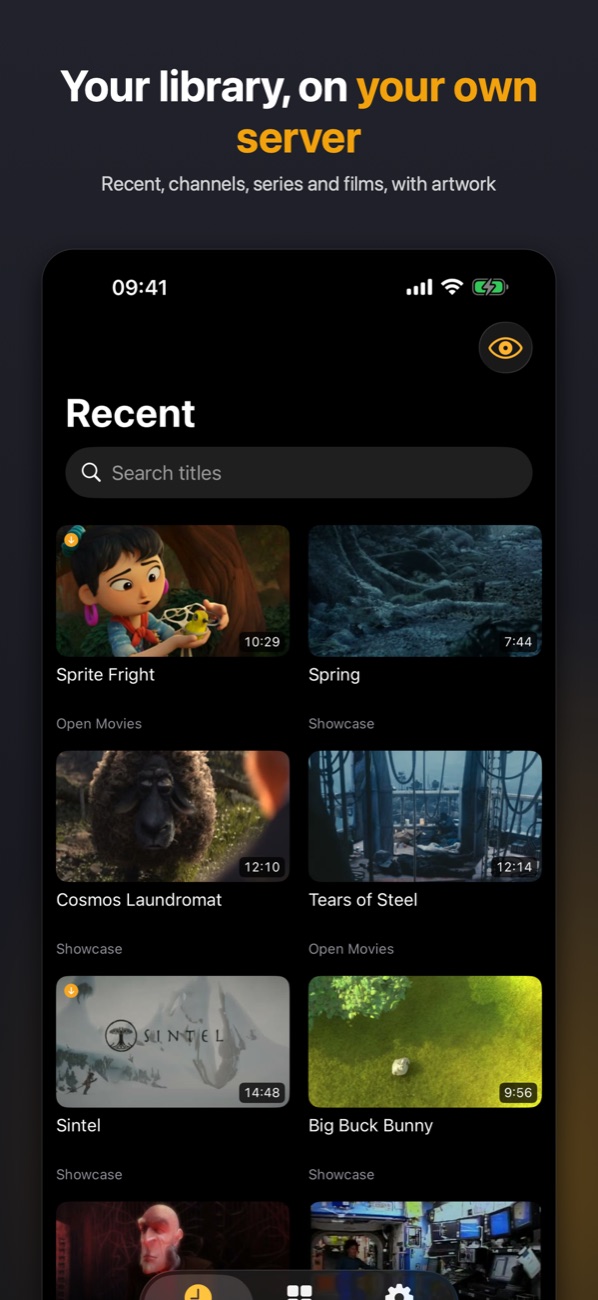
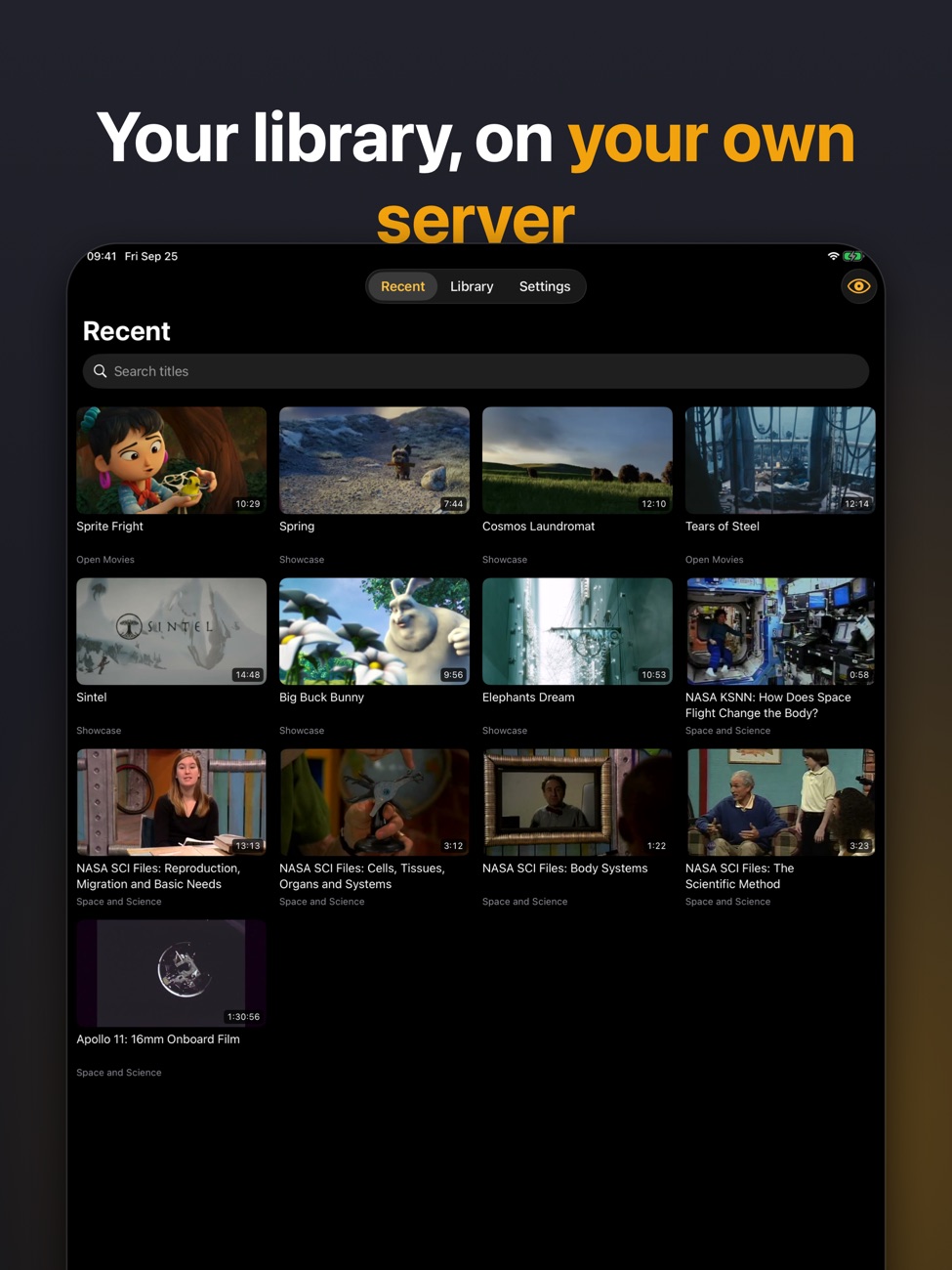
The newest videos across your whole library in one feed, with instant title search on the same screen. Watched items step aside so you always see what's next.
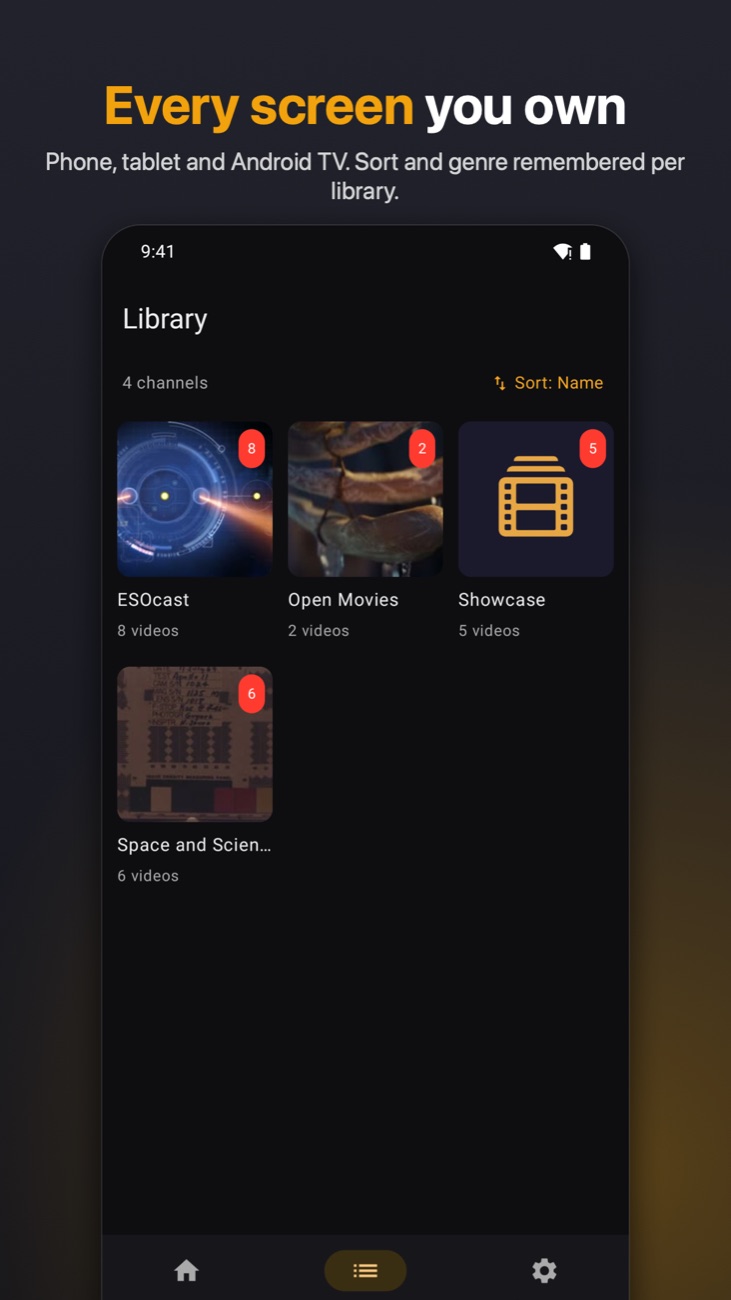
Three formats, each with the layout it deserves: channel collections with unwatched badges, series with seasons and episodes, and movie libraries as a poster wall. Filter any of them by genre, sort by name, year, or what's new, or jump in by tag.
Start on your phone, finish on your iPad. Position and watched state sync through your own server, autoplay rolls into the next related video, and after a few unattended episodes it politely asks if you're still watching.
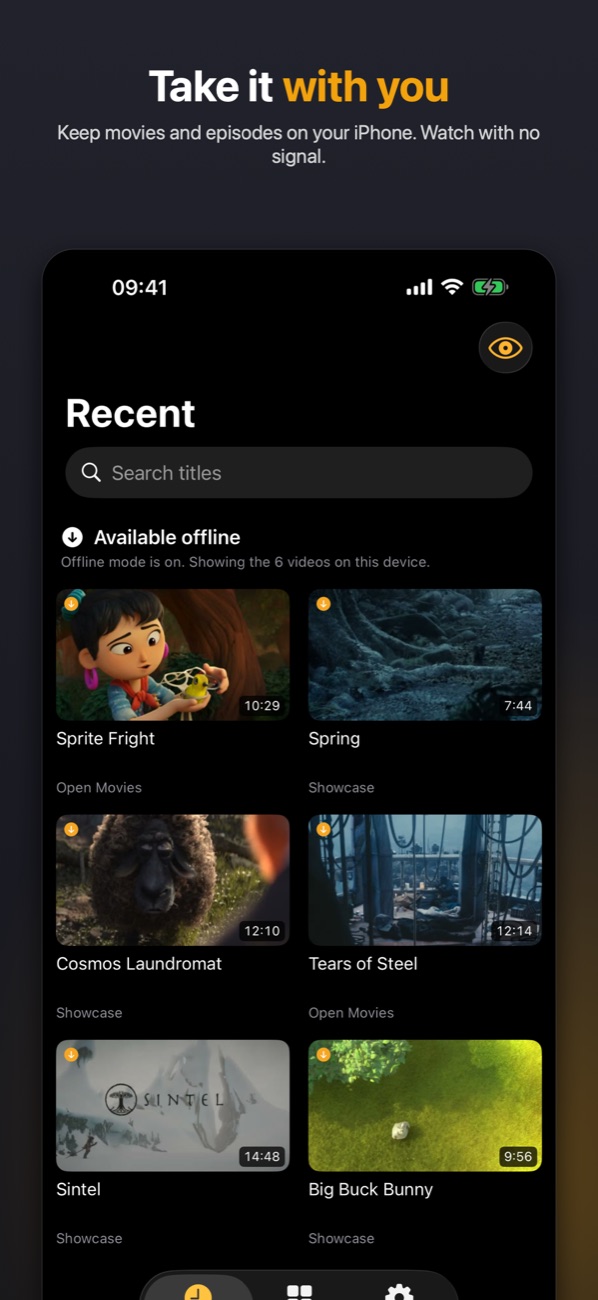
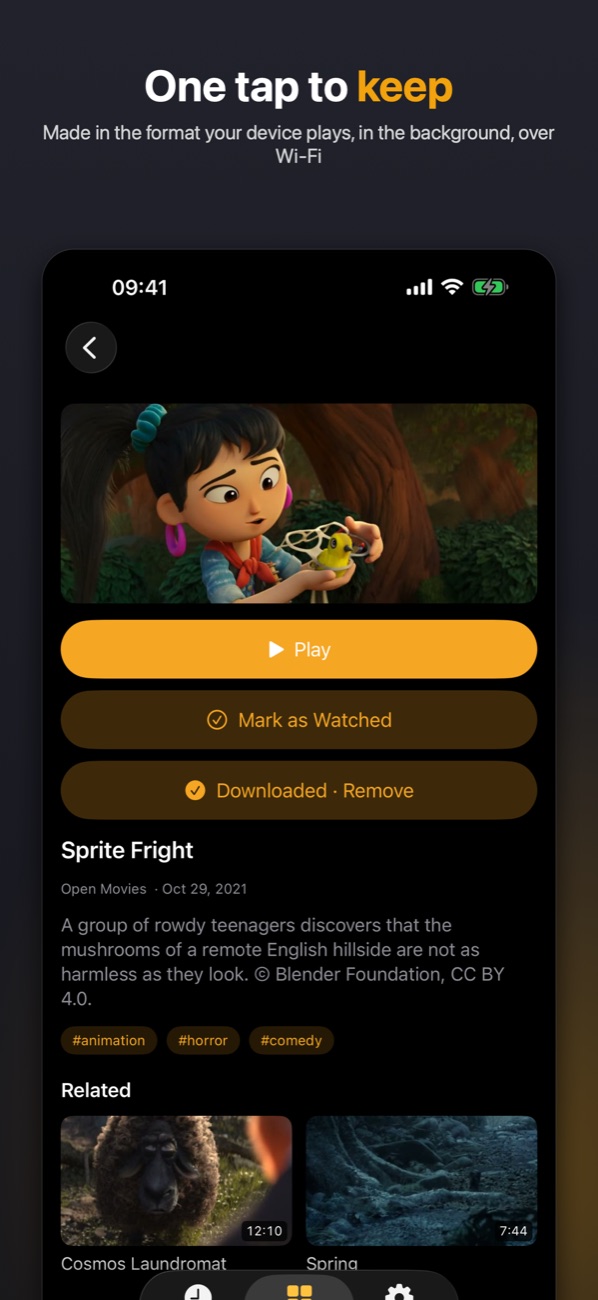
On iPhone and iPad, keep any movie or episode on the device and watch it with no signal. Follow a series or a channel and the next episodes you haven't watched are kept ready, in the background, over Wi‑Fi unless you allow cellular. Watched copies clean themselves up, whichever screen you watched on.
Everyone gets their own sign-in, watch state, and channel subscriptions. As the owner, you still control which channels each person can see.
Direct, full-quality playback of the formats your device supports, plus AirPlay, Picture in Picture, and background audio.
Hand someone a private link to one video, with an optional expiry, without giving them an account or exposing the rest.
Pair your server with your friends' servers and choose what each one gets, from a single show to whole libraries. Their catalogs merge into yours while the video streams straight between homes, never through a middleman.
Multi-language files just work: pick the audio track and subtitles on any screen, in direct play or live transcode. Caption size and colour are per person, and follow you from device to device.
Run Plex on the same library? Watched state and resume points sync both ways, per person: finish an episode in one app and the other already knows.
MytView is a companion app for the self-hosted MytView server. The app streams straight from your hardware to your screen; it needs a server to sign in to.
Point it at your existing library folder (read-only) and start the container with docker compose up. It indexes your videos and their sidecar metadata.
Open the server in a browser and sign up: the first account becomes the owner. Invite the rest of the household, or pair any TV by scanning a code.
Enter your server address in the app, sign in, and your whole library is there, resumable on every screen with per-user privacy.
On Unraid, install it from Community Applications. Everywhere else, one compose file. Step-by-step for Synology, TrueNAS, CasaOS and more in the install guide; then Getting started for the first ten minutes, and the configuration reference for everything else.
:ro. MytView never writes to, moves, or deletes your files./data volume. The index rebuilds itself from disk; your accounts and progress persist.# mytview: self-hosted video library server
services:
mytview:
image: fbartolini/mytview:latest # multi-arch: amd64 + arm64
container_name: mytview
restart: unless-stopped
ports:
- "8700:8700"
environment:
# invite = first account becomes the owner
ALLOW_SIGNUP: invite
ALLOW_INVITES: owner # only the owner invites people (or 'all')
# ORIGIN: https://mytview.example.com # only behind a reverse proxy / TLS
volumes:
# your video library, READ-ONLY
- /path/to/your/library:/media:ro
# accounts + watch state + index (keep this)
- mytview-data:/data
# scratch for live-transcode streams (exists only while watching)
# - /path/to/scratch:/transcodes
volumes:
mytview-data:Start with no app at all: the server ships a full web player, so the moment it's running you can sign in from any browser: laptop, phone, tablet, even a friend's machine. Nothing to install, included and free.
The native apps add what a browser can't: real remote-control navigation, background audio, and an interface built for the couch. Sign in once per device; on a TV, scan a code with your phone instead of typing a password with a remote.


The Apple and Google apps are free until 1 November 2026, and anyone who installs before then keeps them free forever. After that they become a small one-time purchase (under ten euros, one per store), with no subscription. The server, the web player and the Samsung TV app are free for everyone, always.
Running the server or using the app? Start here, and reach out any time.
Yes. MytView is a player for the self-hosted MytView server; it is not a standalone app and does not host any content itself. You run the server on your own hardware and the app connects to it.
"Mighty view." And look at the first four letters: MyTV. Both readings are the point. It's your TV, on your terms, and it should look great doing it.
Three library formats: video files with .info.json sidecars, TV series with Kodi/Emby-style .nfo files, and movie folders in the Kodi layout with posters and fanart. Whatever your device can't decode falls back to the live transcoder automatically.
Nowhere but your own server. Your videos stream directly from your hardware to your device. MytView has no cloud service, no analytics, and no ads. See our privacy policy.
The server and its web app are free and open source (GPL-3), always. The mobile and TV apps are free today and become a small one-time purchase later this year, with no subscription. Install an app before 1 November 2026 and it stays free forever: a founder licence, recognised automatically from the install date, nothing to claim. The Samsung TV app is free for everyone.
iPhone, iPad and Apple TV are on the App Store (offline downloads on iPhone and iPad). Android phones, tablets and Google TV are an open beta on Google Play, no invite needed. Samsung TV is built and working and waiting on the Samsung store's review. The web player ships with the server and needs no install at all.
Sign in on your phone, open the pairing screen, and scan the code shown on your TV. Only a one-time, end-to-end-encrypted handshake is relayed, never your videos. The same flow pairs Apple TV, Google TV and Samsung TV.
The first account is the owner. From there, generate single-use invites for family or friends. Everyone manages their own password in-app; there's no email, so the owner issues a one-time reset link if someone forgets. As owner you also control which channels are public, private, or shared per person, and can deactivate or remove accounts.
Yes. The library is mounted read-only and the app has no editing features. Whatever produced your library stays the sole owner of those files.
Post it on our feedback board — report issues, request features, and see what's coming next.
 Docker Hub
 GitHub